VA-1 1.2.1: Portrait Play, Independent Envelopes, and a Deeper Sequencer
Play VA-1 upright, give each oscillator its own amp envelope, and edit notes in a piano roll. The update also adds eight standalone skins, consolidated Settings, and more playable AUv3 layouts.
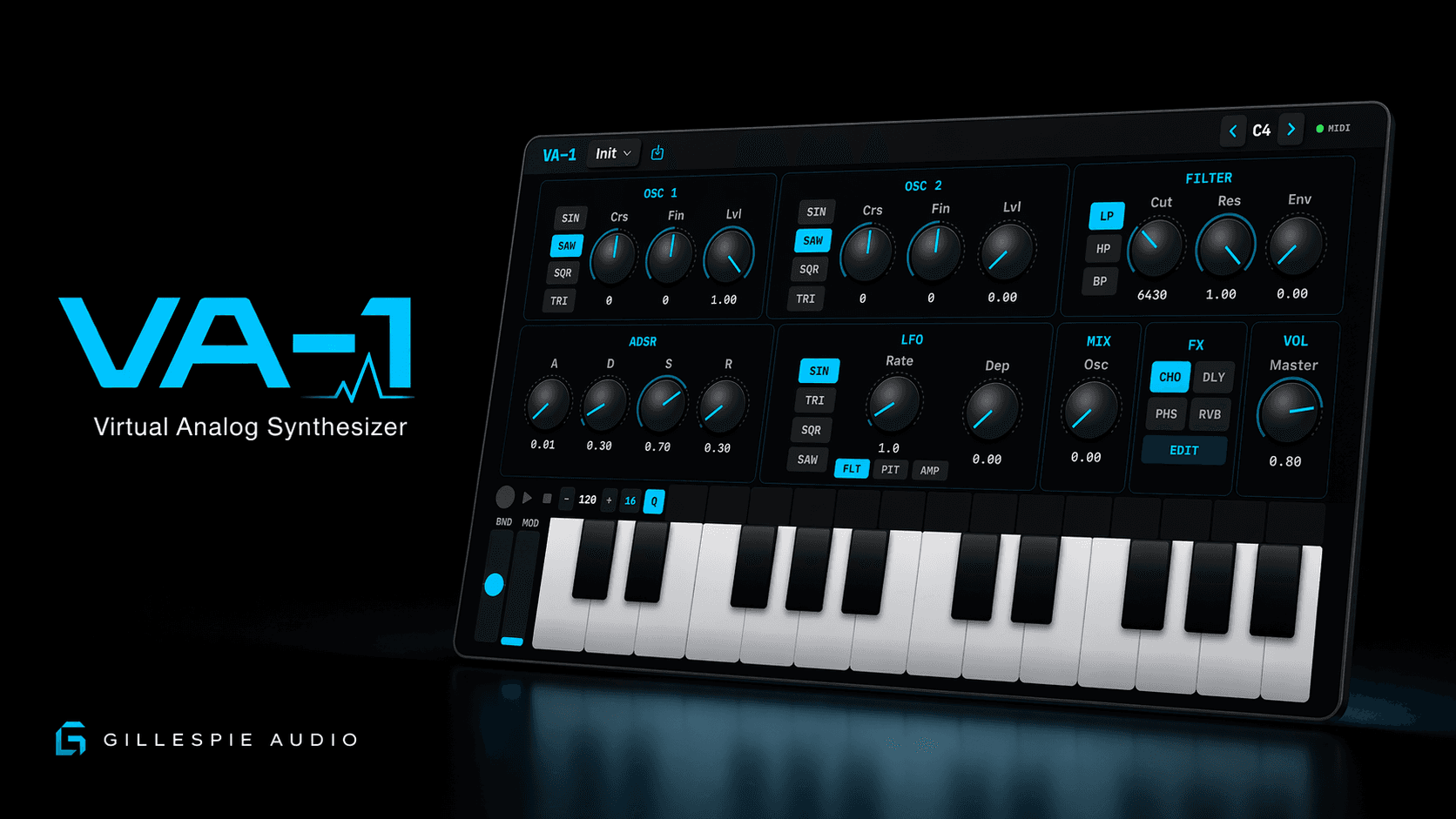
VA-1 1.2.1 (build 8) is available on the App Store. It brings a more flexible standalone instrument layout, deeper control over how each oscillator speaks, and a piano-roll editor for shaping a phrase after you play it.
Play upright and keep the instrument together
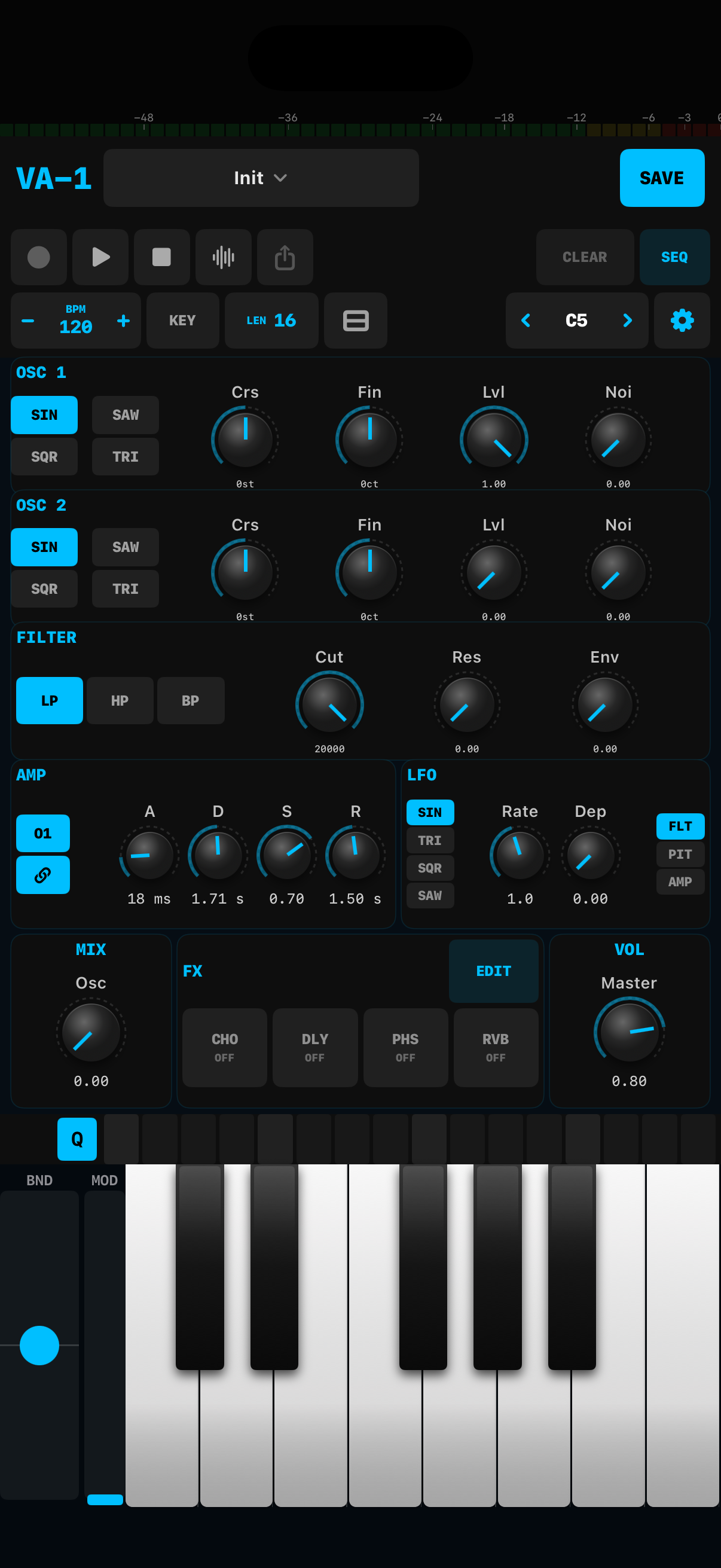
The standalone iPhone and iPad app now adapts to portrait as well as landscape. Turn the device upright and the oscillators, filter, AMP controls, LFO, effects, step lane, and keyboard rearrange into a vertical workspace. Narrower iPad windows are supported too.
The DUAL keyboard option adds upper and lower rows, with the lower row one octave below the upper. It is another way to explore a wider register without leaving the performance surface.
Give the two oscillators different shapes
The two oscillator layers can now have independent amplitude envelopes. A short, bright pluck can sit over a slowly arriving second layer, or one oscillator can fade away while the other holds.
In AMP, turn off the chain link, select O1 or O2, and adjust A, D, S, R for that oscillator. Attack, Decay, and Release span 1 millisecond to 30 seconds; Sustain is a level. Play fresh notes after changing the link mode. Turn the chain back on when you want both oscillators to use oscillator 1's envelope.
Both layers still pass through the shared filter and filter envelope, so you can shape their overall brightness together. Fine knob adjustment is also easier: drag vertically, then move out to the side for more precise control. Double-tap restores the default on knobs configured with a reset value.
Shape the phrase in the piano roll
Open SEQ in the standalone app on iPhone, iPad, or Mac. SELECT moves a note's timing and pitch; dragging its right edge changes its length. DRAW paints short notes, ERASE removes them, and HAND moves the view.
Use the velocity lane to change how strongly notes play. QUANT works on the selection, or the entire pattern when nothing is selected. Pattern tools, copy/paste, duplicate, undo, and redo make it easier to try a variation and keep what works.
For quick changes on the main panel, tap an empty step cell to add a note or a filled cell to clear it.
Choose your standalone workspace
The settings gear groups Appearance, MIDI Learn, Audio + MIDI, and Help / Reset. Compact layouts use SKIN, LEARN, A/M, and HELP.
Choose from Graphite, Porcelain, Studio Gray, Midnight, Moss, Aubergine, Sandstone, and Rosewood. The choice is remembered locally. Audio settings show route and buffer information; supported iOS configurations offer buffer requests, while iOS 26 uses Native mode. The device decides the actual hardware buffer.
The master bus also has stereo-linked lookahead limiting for consistent peak management. It is automatic output protection rather than another effect to configure; leave headroom in your host and audio interface.
A more playable AUv3 instrument
The AUv3 editor adapts to its host window, with fuller and compact playable surfaces plus a parameter-only fallback for very small windows. Independent oscillator amp envelopes are available in AUv3 too. The standalone portrait dashboard, skins and Settings, and full piano-roll editor remain standalone features.
Version 1.2.1 also improves MIDI note ownership, sequencer playback and edits, AUv3 state handling, and iPhone landscape clearance around display cutouts.
Recording, export, and compatibility
The expanded workflow keeps VA-1's 500 presets, stereo WAV capture, sequencer-loop export, MIDI input/output, and AUv3 support. Built-in capture records VA-1's generated synth output only, not a microphone or audio-interface input. In AUv3, use the host's recording and export workflow.
VA-1 requires iOS 18+, iPadOS 18+, or macOS 14+. One universal purchase covers all three platforms. It is $9.99 USD, with no subscription or in-app purchases; existing owners receive the update at no extra charge. TEMPO-1 and VA-1 are also available together for $14.99 USD, saving $4.99 USD compared with buying both separately.
Download the complete PDF manual