Fast beat building
Open straight into pads, sequencer, mixer, FX, and presets. Factory kits and starter patterns give you a real rhythm before the idea cools off.
12 voices8 factory kits16 starter patterns
A 12-voice sampler groovebox
for iPhone, iPad, Mac, and AUv3.
Record a sound and put it on a pad,
shape every step by hand,
then capture, export, or send MIDI.
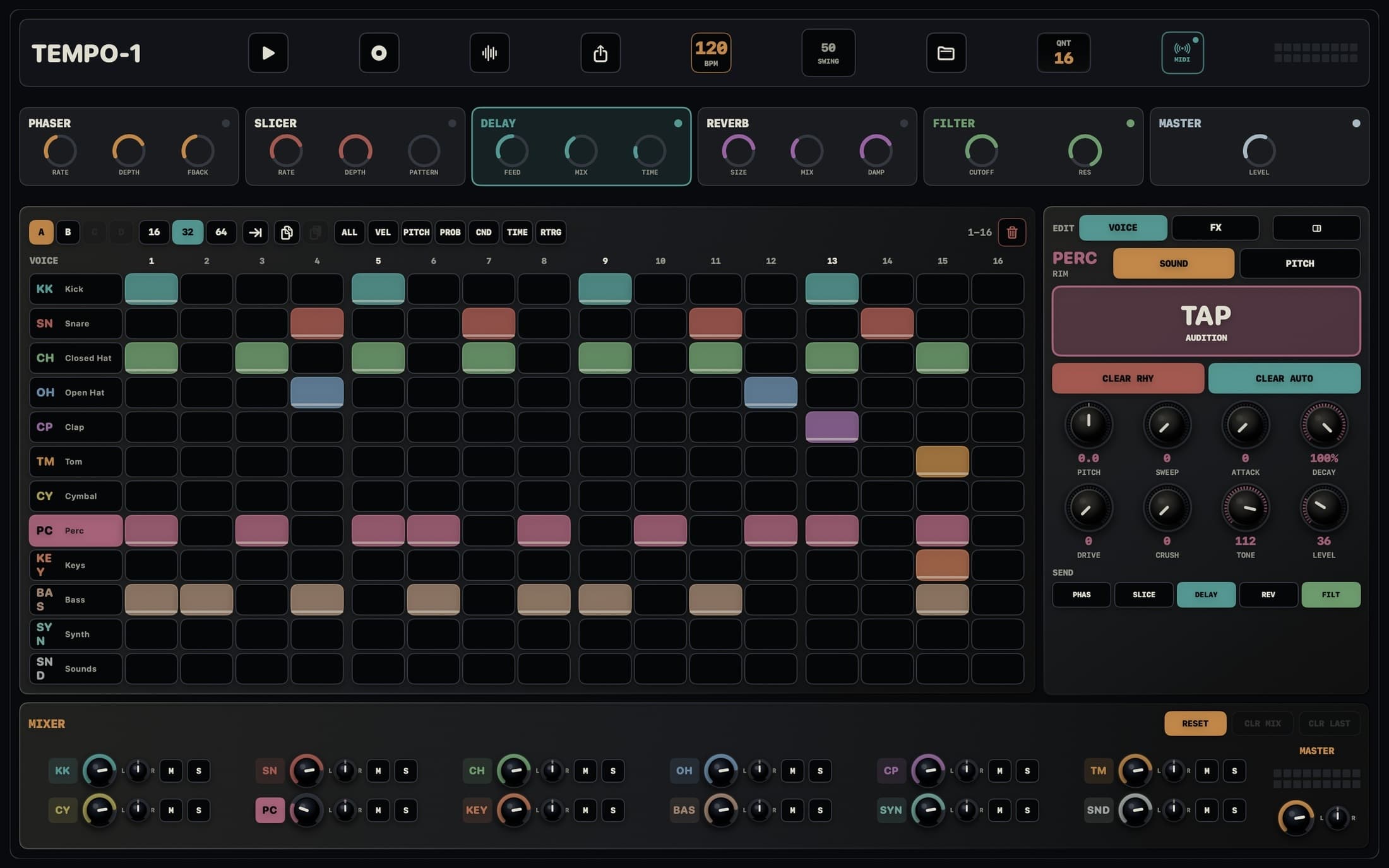
In the standalone app, record up to 30 seconds from the device microphone or a selected input on a connected audio interface. Watch the waveform and input level, then trim, adjust gain, preview, name, and save the result to a user-bank slot for any voice.
The 1.1 line also adds conditional steps, quantized live recording, Filter Pad performance, tempo-synced and ping-pong delay, and external MIDI output for pads and sequenced tracks. Version 1.1.2 improves USB audio routing, AUv3 state, MIDI, and real-time audio reliability.
The full demo is hosted on YouTube so the high-definition video stays fast to stream and easy to share.

Download four full-resolution backgrounds inspired by TEMPO-1 pads, meters, dials, and mixer controls.
TEMPO-1 keeps the important drum-machine surfaces close: pads, step editing, kit shaping, mixer moves, MIDI control, and export. It is built for momentum first, with enough depth to finish the idea outside the sketch.
Open straight into pads, sequencer, mixer, FX, and presets. Factory kits and starter patterns give you a real rhythm before the idea cools off.
Shape patterns with velocity, probability, conditions, micro-timing, ratchets, pitch, and quantized live pad or MIDI recording.
In standalone TEMPO-1, record up to 30 seconds from the microphone or a selected audio-interface input, then trim, gain, name, and save the sound to a pad.
Map controls with MIDI learn, send pads and sequenced tracks to a selected MIDI destination, and run TEMPO-1 as an AUv3 extension in supported hosts.
Move ideas out cleanly with current-loop WAV export, current-pattern MIDI export, live WAV capture, and preset-bank import/export.
Browse the official TEMPO-1 1.1.2 online manual for standalone sampling, sequencing, MIDI, AUv3, export, and reference.
Keep the core rhythm decisions in reach while you build: choose the page, set the working length, shape velocity, and keep tempo changes visible without leaving the grid.
Move through longer patterns without losing the beat grid.
Start tight, then open the pattern when the groove asks for more room.
Shape selected hits with velocity, probability, micro-timing, and ratchets.
Keep timing controls visible while the sequencer stays in focus.
Save alternate ideas and variations without rebuilding the kit.
Version 1.1's sample editor, conditional steps, and MIDI output map keep detailed work direct on a touch screen.
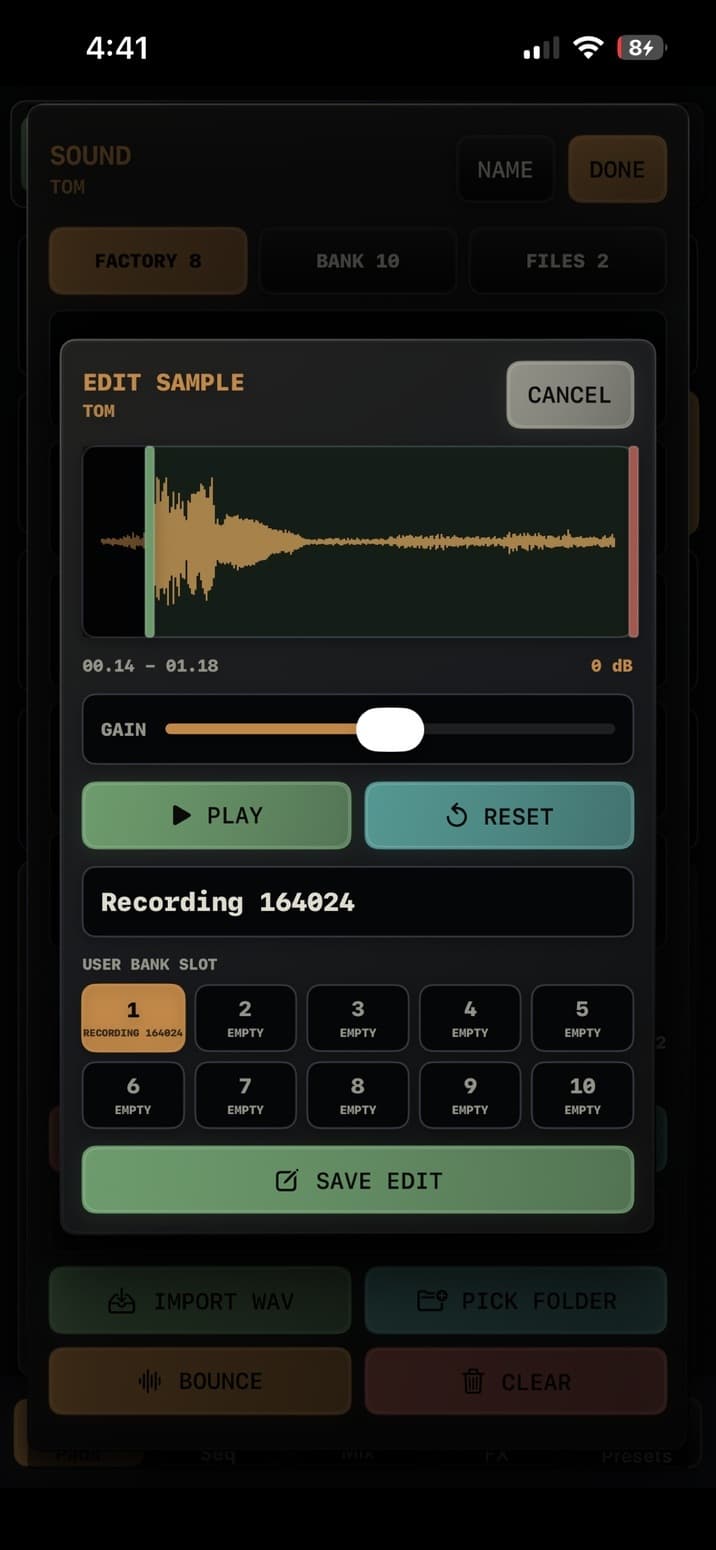 Sample editor
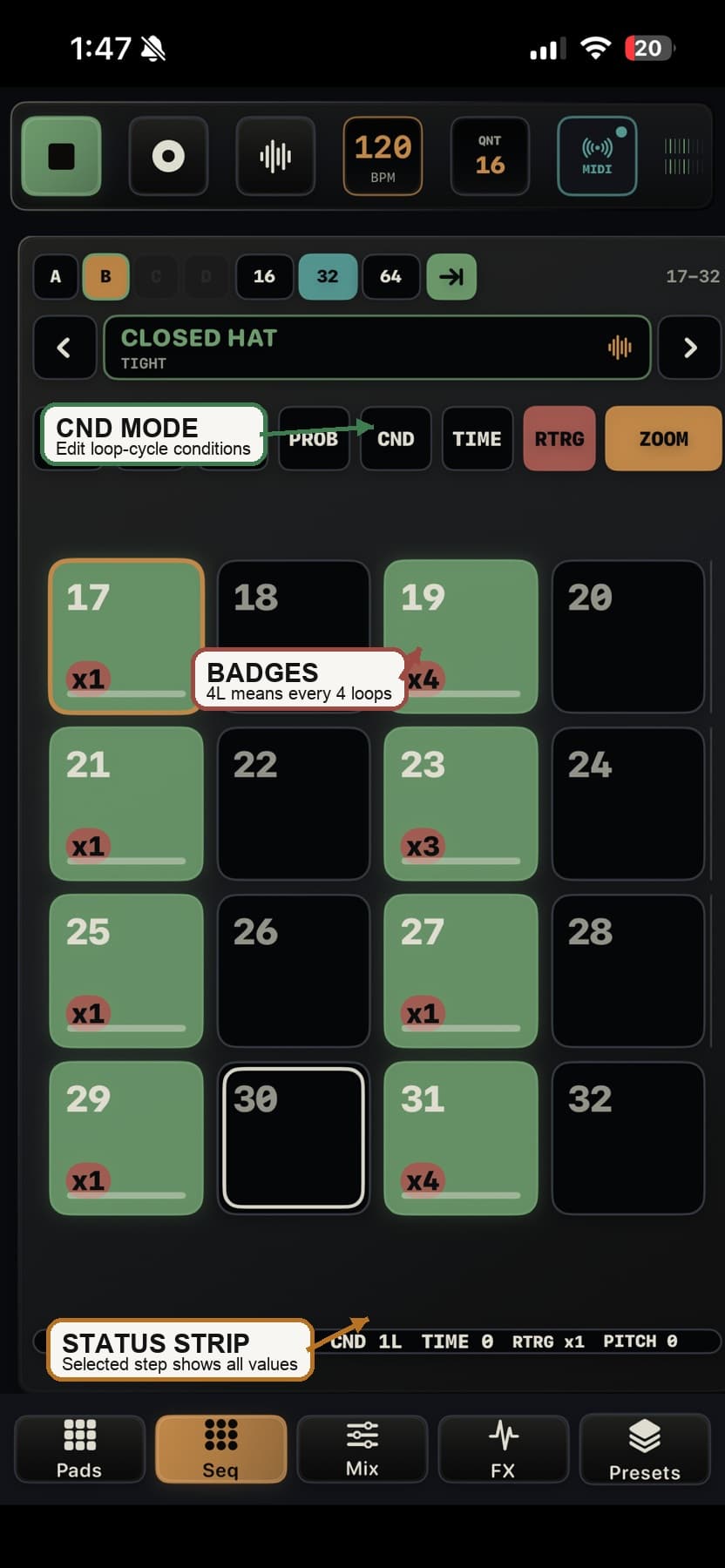 Conditional steps
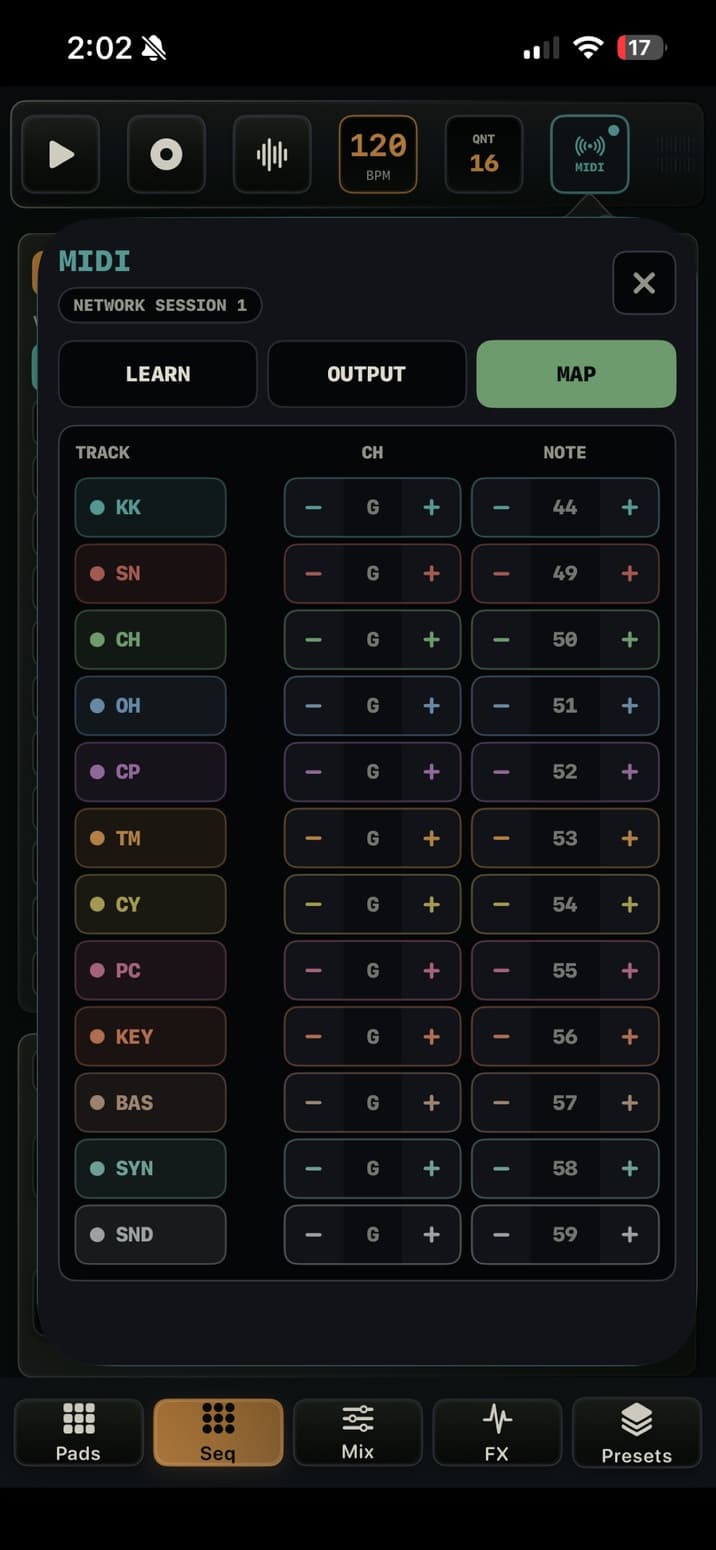 MIDI output map
Record from the microphone or a selected channel on a class-compliant USB audio interface, edit the take in place, and save it to a pad. TEMPO-1 also combines modeled voices, bundled samples, WAV import, voice bounce, live capture, and loop resampling so new sounds stay part of the beat-making flow.
Available now for US$9.99 as a one-time App Store purchase. No subscription or in-app purchase. Download the app, watch the demo, or open the current 1.1.2 manual.