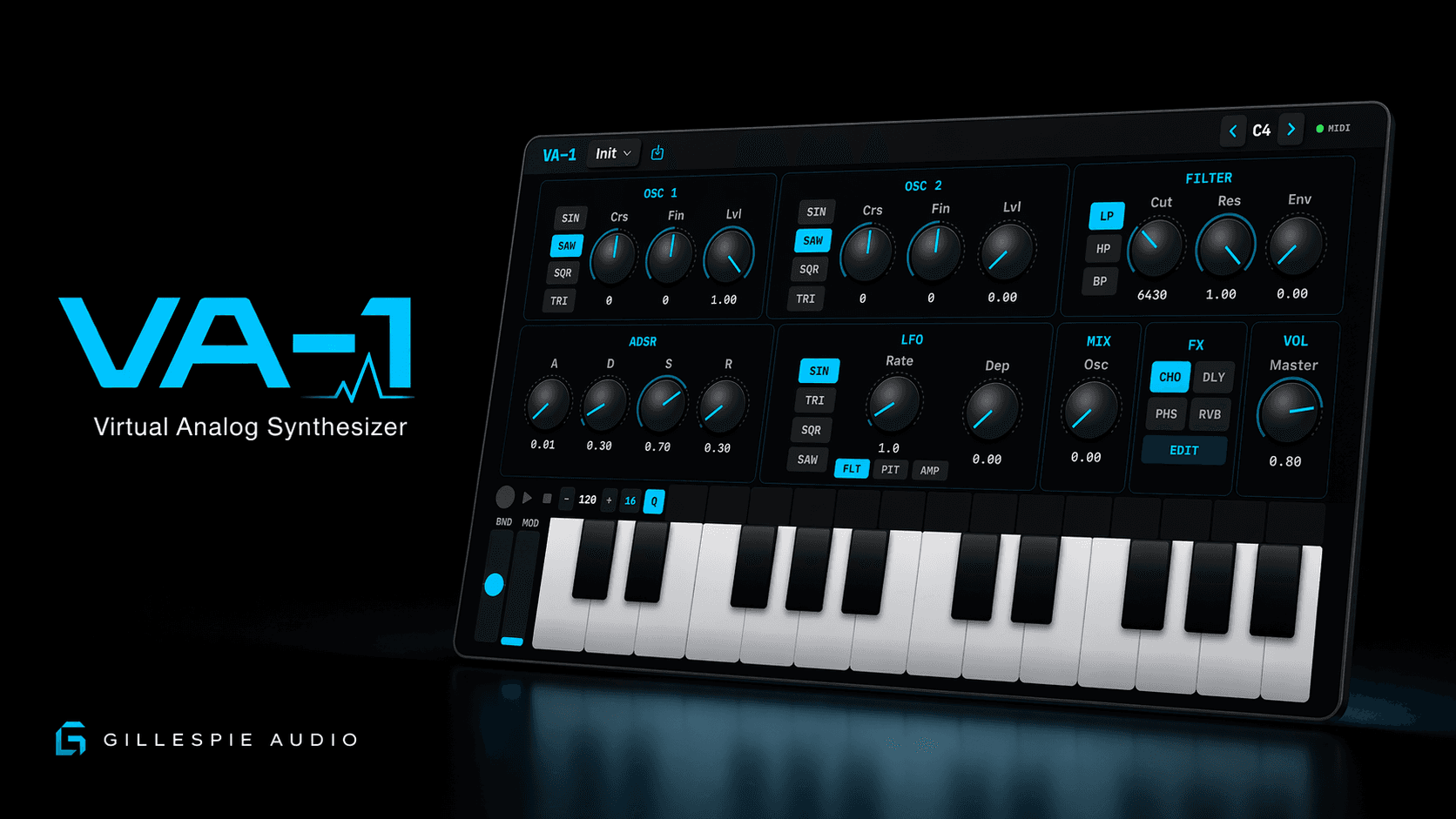
<- VA-1
Gillespie Audio + release notes

VA-1 1.2.1

Play in portrait, give each oscillator its own amplitude envelope, edit phrases in the piano roll, and choose a skin for your standalone workspace. Version 1.2.1 also improves playable AUv3 layouts and MIDI, sequencer, and state reliability.

Current release

VA-1 1.2.1 (build 8) is available on the App Store for iPhone, iPad, and Mac. Requires iOS or iPadOS 18 or later, or macOS 14 or later.

Portrait layouts on iPhone and iPadIndependent oscillator amp envelopesPiano-roll sequence editingEight standalone skins
VA-1 Virtual-Analog Synthesizer
VA-1 app icon
Version 1.2.1
Play + shape
01 / Play And Shape

Portrait Instrument Layouts

The standalone iPhone and iPad app rearranges its synth controls, step lane, and keyboard for a taller window. Rotate the device to move between portrait and landscape, with layouts that also adapt to narrower iPad windows.

Independent Oscillator Amp Envelopes

Unlink the AMP chain control, select O1 or O2, and give each oscillator its own Attack, Decay, Sustain, and Release. Combine a short pluck with a slower swell in one patch. Linked mode uses oscillator 1's envelope for both layers; play fresh notes after changing the link mode. Both oscillators still feed the shared filter and filter envelope.

Longer Envelope Contours

Amplitude and filter Attack, Decay, and Release controls cover 1 millisecond to 30 seconds. Sustain remains a level. Shape longer evolving layers as well as quick percussive sounds.

DUAL Keyboard And Precision Controls

Standalone iPhone and iPad layouts offer a stacked DUAL keyboard, with the lower row one octave below the upper. Knobs support finer adjustment by moving sideways during a vertical drag; double-tap restores the default on controls configured with a reset value.

02 / Edit The Phrase

Piano-Roll Sequence Editor

Open SEQ in the standalone app on iPhone, iPad, or Mac. Use SELECT, DRAW, ERASE, and HAND to select notes, paint short notes, remove them, or move around the view. Drag a selected note's body to move its timing and pitch; drag its right edge to change its length. The velocity lane edits note velocity from 1 to 127.

Pattern Tools And Undo

QUANT affects selected notes, or the whole pattern when nothing is selected. MORE / Pattern tools provides copy, paste, duplicate, note and selection adjustments, and view controls. Undo and redo help you revise a phrase while keeping it musical.

Direct Step Editing

Tap an empty step cell to add the last entered or played note, with a keyboard-root fallback. Tap a filled cell to clear it. Longer patterns use pages of 16 cells.

03 / Your Workspace And Output

Eight Skins And Consolidated Settings

The standalone settings gear brings together Appearance, MIDI Learn, Audio + MIDI, and Help / Reset. Compact layouts label these SKIN, LEARN, A/M, and HELP. Choose Graphite, Porcelain, Studio Gray, Midnight, Moss, Aubergine, Sandstone, or Rosewood; the choice is remembered on that device.

Audio Route And Buffer Information

Detailed Audio + MIDI settings show routing and audio status. Supported iOS configurations offer Native, 512, 256, or 128-frame requests; iOS 26 uses Native. Hardware determines the actual buffer. On Mac, use Audio MIDI Setup for device configuration.

Master Output Protection

The stereo-linked master limiter uses fixed 2 ms lookahead to manage peaks consistently. It is automatic output protection, not a selectable effect. Leave headroom when feeding a host, interface, or other instrument.

04 / AUv3 And Reliability

Playable Host-Sized Editors

VA-1 adapts its AUv3 editor to the space provided by the host, including compact playable layouts and independent oscillator amp envelopes. Very small host windows use a parameter-only fallback. Standalone skins, Settings, and the full piano-roll editor are not part of the AUv3 editor.

Notes, Sequencing, And Saved State

Additional improvements cover MIDI note ownership, sequencer edits and playback, AUv3 parameter and state handling, capture completion, and iPhone landscape clearance around display cutouts.

Performance and stability

The expanded standalone workflow builds on stereo WAV capture, sequencer-loop export, MIDI input/output, USB audio support, and AUv3. Built-in WAV recording captures VA-1's generated synth output only; it does not record microphone or interface inputs. Use the host's recording and export workflow in AUv3.

Earlier releases

VA-1 1.2.0 - July 12, 2026

Record VA-1's stereo output, export sequencer loops as WAV files, route MIDI to external instruments, and work more reliably with USB audio, AUv3 hosts, dense patches, and changing audio routes.

Recording And Export

Stereo Synth-Output Capture. Record VA-1's generated stereo output while you play. Built-in capture records the instrument and its effects only; it does not use the microphone or record an audio-interface input.

Preview, Save, Share, Or Delete. When a capture is complete, preview it inside VA-1, save the WAV to a location you choose, share it through the system share sheet, or delete it.

Sequencer-Loop WAV Export. Render the current sequencer loop directly to a stereo WAV using the selected preset, tempo, pattern, and effects. The export runs offline, so you do not have to record the loop in real time.

MIDI And Connectivity

MIDI Output. Send notes from VA-1's keyboard or sequencer to an external hardware or software instrument. Input and output destinations, local playback, keyboard output, sequencer output, and MIDI Thru can be managed from the routing panel.

Routing And Safety Controls. The MIDI routing panel includes Test Note, All Notes Off, and Panic controls so you can verify a destination and recover quickly from a stuck-note or routing problem.

USB Audio Interface Status. VA-1 now reports the active audio route and responds more reliably when a class-compliant USB audio interface is connected, disconnected, or reconnected.

Reliability Improvements

Audio And DSP Reliability. Improved behavior for dense chords, long release tails, demanding effects, rapid parameter changes, app switching, render gaps, and high audio-engine load.

MIDI And Sequencer Reliability. Additional safeguards reduce stuck notes and improve sequencer timing, external MIDI delivery, note cleanup, and route changes while performing.

AUv3 Reliability. Improved parameter automation, preset state, MIDI handling, audio recovery, and render behavior when VA-1 runs as an AUv3 instrument in a compatible host.