Filter Pad and Delay Options
Perform cutoff and resonance together, and choose free, synced, centered, or ping-pong delay.
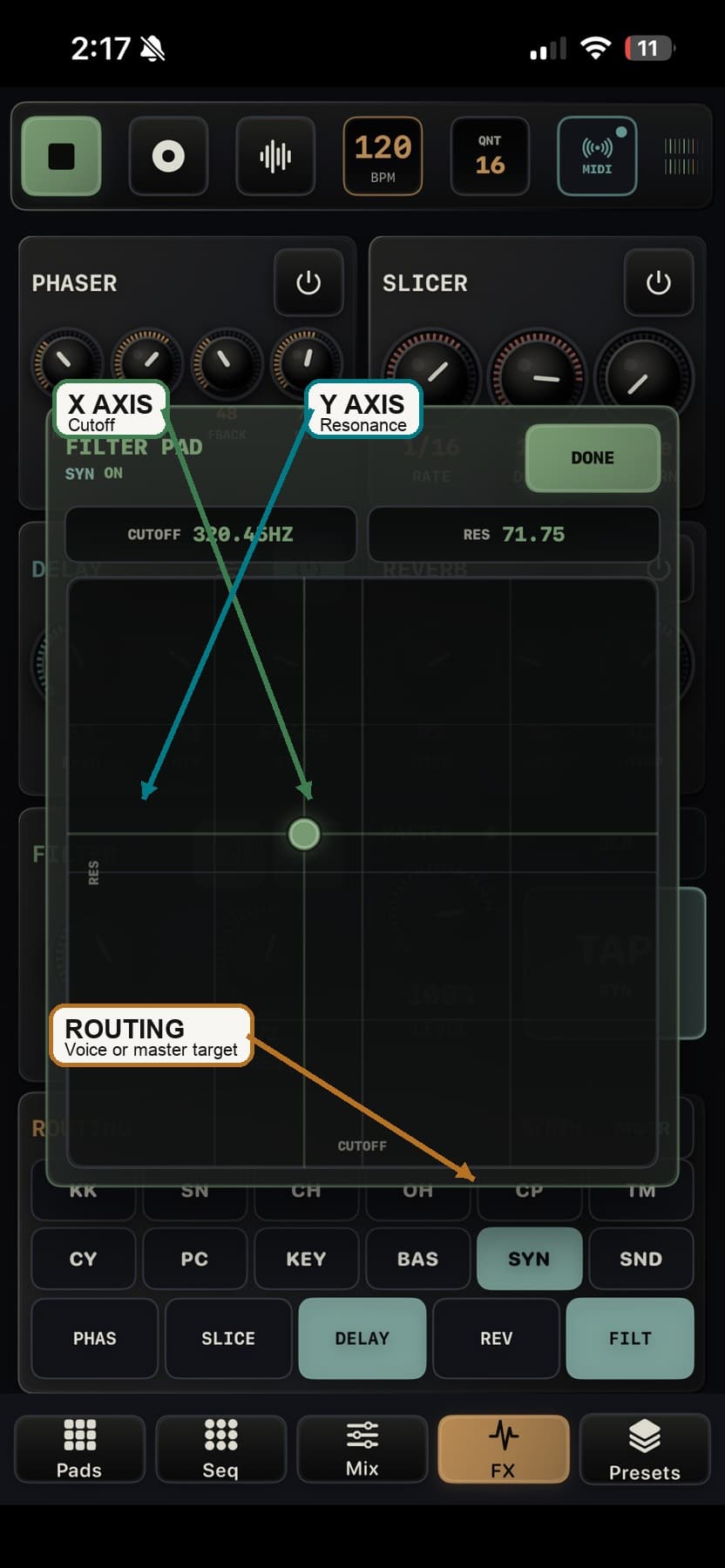
Filter Pad
- Open the pad from the Filter effect controls.
- The selected target is either a voice or MSTR.
- Move left or right for cutoff and up or down for resonance.
- With REC armed and transport playing, the gesture writes automation for cutoff and resonance.
- If Filter is bypassed or the voice is not routed to it, the pad can move without an audible filter change.
Delay Options
- FREE uses millisecond delay time. SYNC follows tempo divisions.
- Sync divisions are 1/4, 1/8, 1/8T, 1/16, 1/16T, and 1/32.
- CENTER keeps repeats centered; PING-PONG alternates repeats left and right.
- Delay options save with presets for voice delay and master delay targets.