Pads and Voice Editing
Select and audition 12 voices, then shape the selected sound.
Voice pads
TEMPO-1 has 12 voices: Kick, Snare, Closed Hat, Open Hat, Clap, Tom, Cymbal, Perc, Keys, Bass, Synth, and Sounds. Tap a pad to select and audition it.
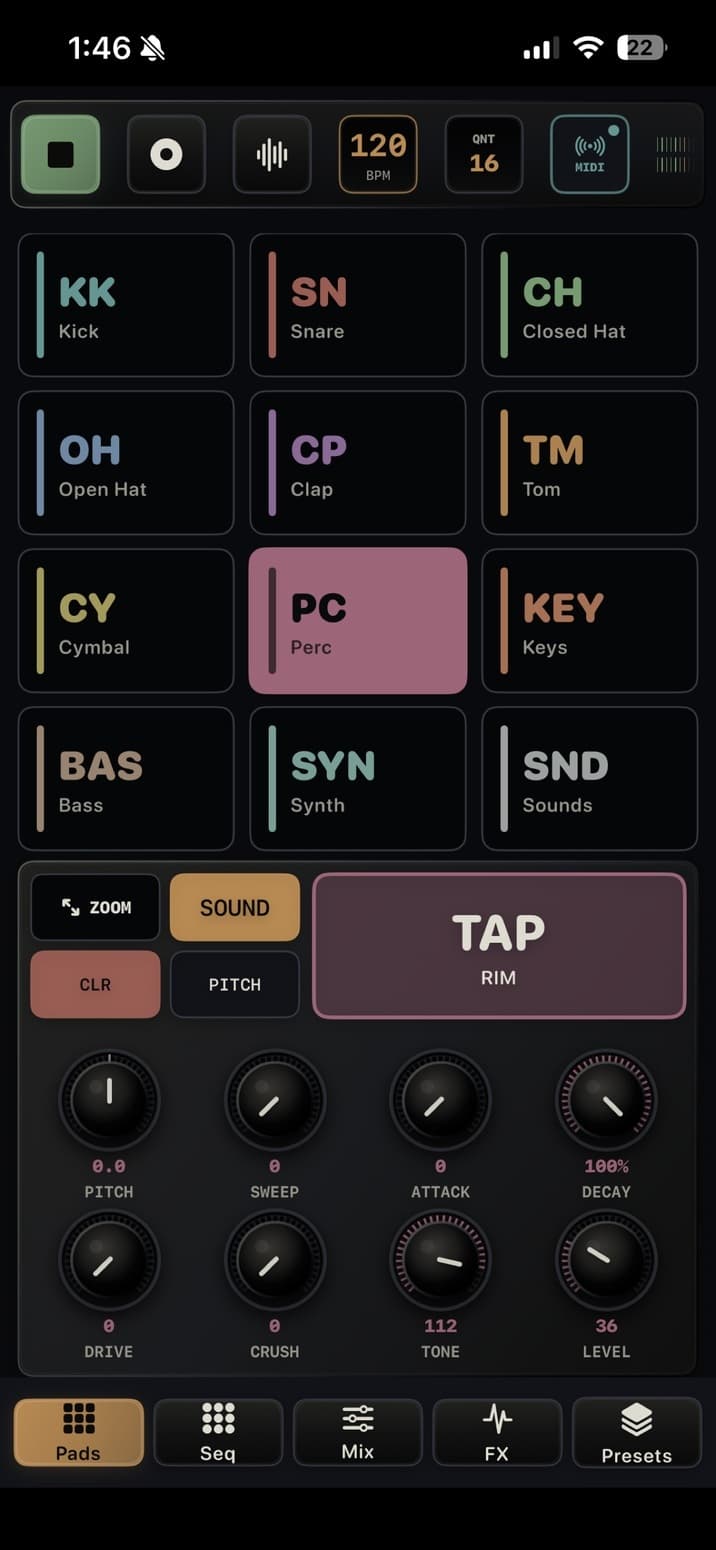
Utility controls and TAP
- ZOOM expands the selected pad workflow.
- SOUND opens the Sound Browser.
- CLR opens rhythm and automation clear options.
- PITCH opens pitch snap options where supported.
- The large TAP area triggers the selected voice. When REC is armed and playback is running, taps can be written into the active pattern.
Voice controls
| Control | What it shapes |
|---|---|
| PITCH | Tunes the voice; supported tuning can snap to chromatic, major, or minor steps |
| SWEEP | Adds pitch movement at the start of a hit |
| ATTACK / DECAY | Shapes the start and fade; labels vary by voice |
| DRIVE / CRUSH | Adds saturation or digital grit where supported |
| CLICK / TONE | Shapes transient and tone where supported |
| LEVEL | Sets voice level before the mixer |