Step Editing
Edit velocity, pitch, probability, conditions, micro-timing, and ratchets per step.
Adjust an active step
- With no edit mode selected, tap a step to turn it on. Step parameters can be adjusted only on active steps.
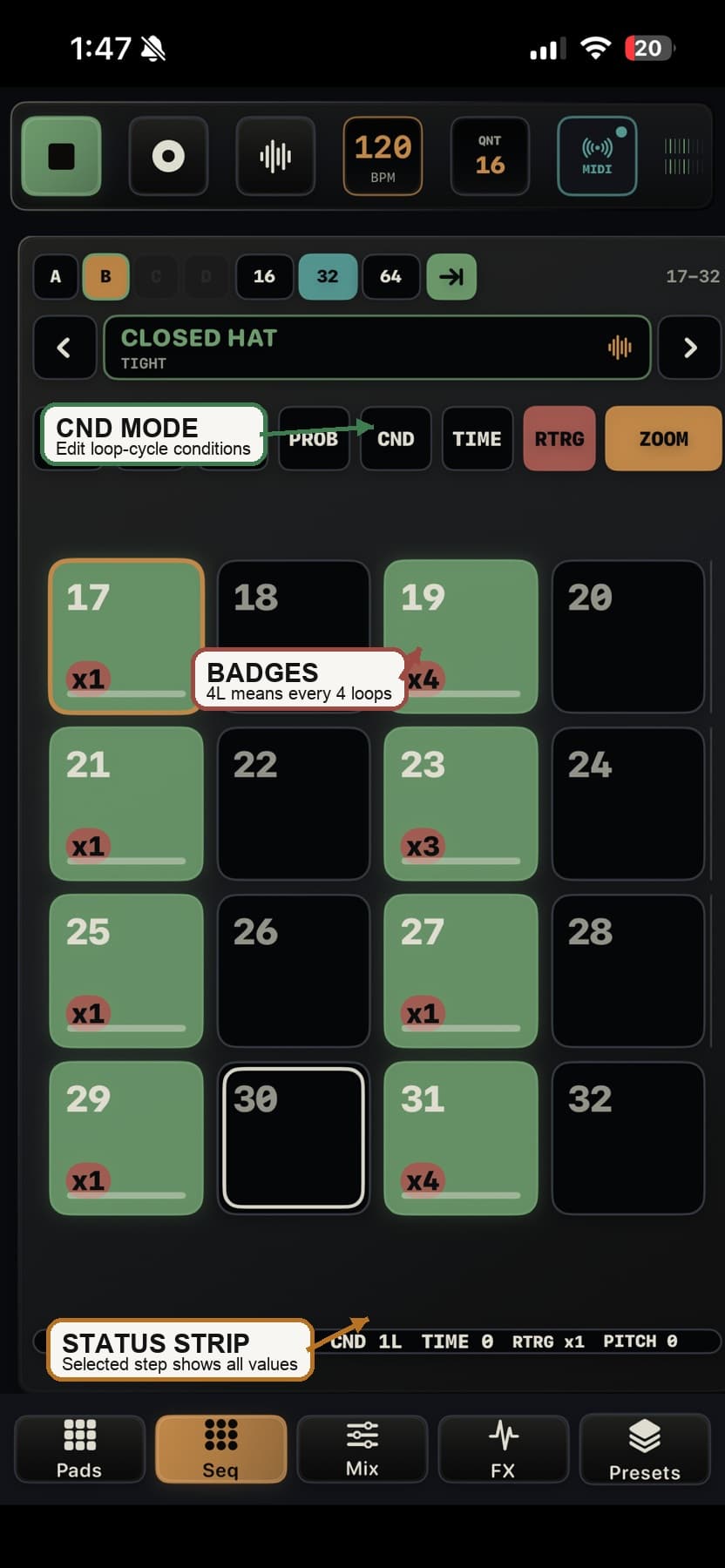
- Select VEL, PITCH, PROB, CND, TIME, or RTRG, then swipe on the active step. A value display appears while you move.
- Tap the selected mode again to leave step editing. Turn on ALL before swiping to apply the value to every active step on the visible page for that voice.
Step edit modes
| Mode | Gesture | Result |
|---|---|---|
| VEL | Up / down | Raise or lower velocity from 1 to 127 |
| PITCH | Up / down | Raise or lower pitch from -24 to +24 semitones where supported |
| PROB | Down / up | Reduce or raise probability from 0% to 100% in 5% increments |
| CND | Down / up | Increase the loop interval so the step plays less often, or move back toward every loop |
| TIME | Left / right | Move the step earlier or later |
| RTRG | Up / down | Increase or reduce repeats through x1, x2, x3, x4, x6, and x8 |
Conditional steps
- CND is deterministic. It follows the pattern loop counter rather than rolling a random chance.
- CND N plays on the first pass after transport starts or resets, then every N loop cycles. For example, 4L plays on passes 1, 5, 9, and so on.
- Use CND for fills, ghost-note entrances, and long-form groove changes.
- Use PROB when you want chance; use CND when you want a predictable cycle.