Chapter 046 min readVersion 1.1.2 / build 23Updated Tuesday, July 14, 2026
Sound Browser
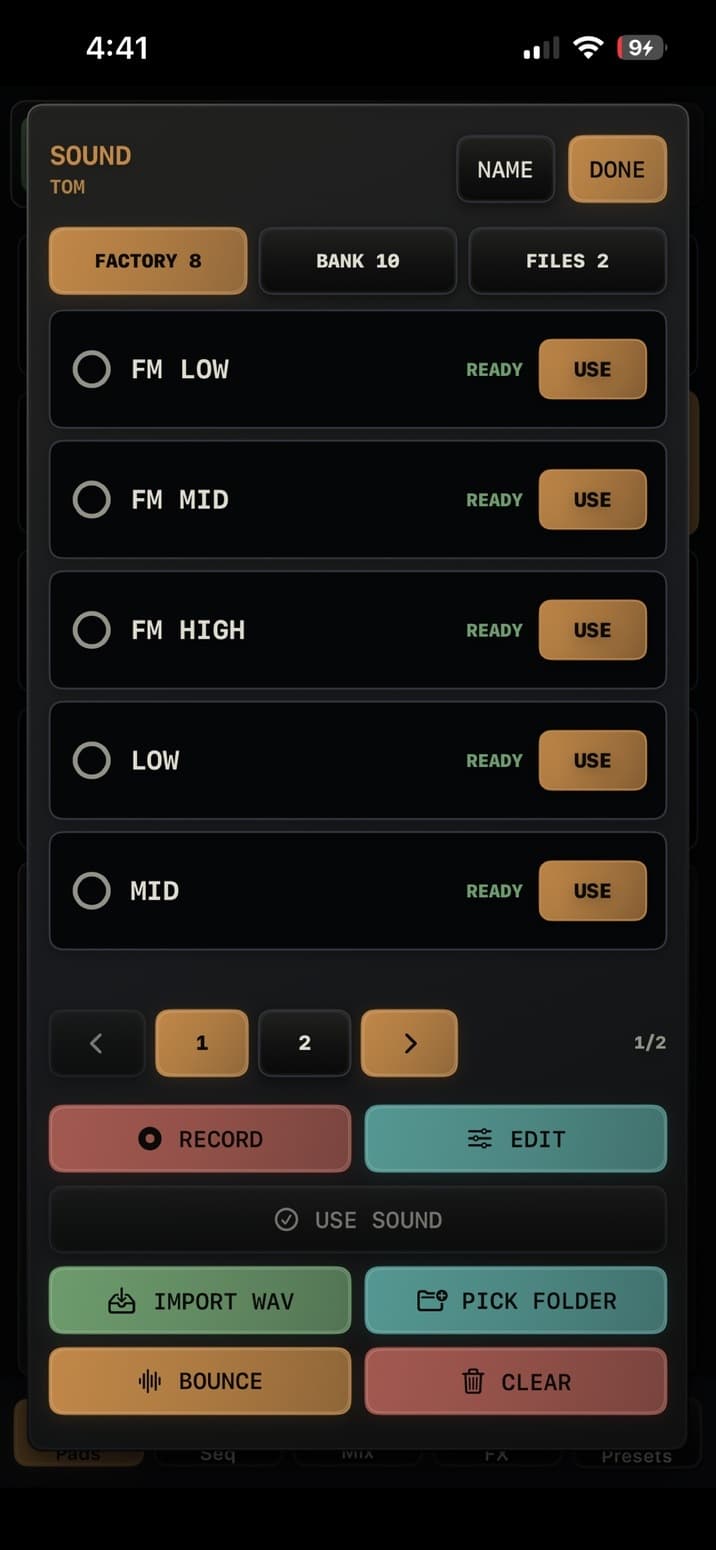
Preview, record, edit, import, link, bounce, and clear sounds for a selected voice.
Sections
Sound Browser with record, edit, import, folder, bounce, and clear actions.Sound Browser sections| Section | Use |
|---|
| FACTORY | Built-in sounds for the selected voice |
|---|
| BANK | Ten user sound slots for the selected voice |
|---|
| FILES | Linked WAV files from imports or folders |
|---|
| NAME | Rename the selected track; names save with presets |
|---|
Actions
- RECORD captures a new sound from the microphone or selected audio input.
- EDIT opens the Sample Editor for a bundled factory WAV or ready user-bank sample. Modeled Kick and Tom sounds are not editable samples.
- USE commits the highlighted sound. Linked sounds can be saved into the user bank first.
- IMPORT WAV, PICK FOLDER, BOUNCE, and CLEAR manage external files and user-bank sounds.
Sound workflows| Workflow | Result |
|---|
| Preview | Tap a row to audition it; preview remains temporary until used or saved |
|---|
| Record | Creates a new recording draft for the selected voice |
|---|
| Edit | Creates an editable draft from a bundled factory WAV or user-bank sample |
|---|
| Import WAV | Stores a WAV file in one of the selected voice's 10 user-bank slots |
|---|
| Pick Folder | Links a folder of WAV files for browsing and previewing |
|---|
| Bounce | Renders a voice into a new sample and saves it to a destination voice slot |
|---|