Sample Editing
Trim, gain, preview, name, and save recorded, factory, or user-bank audio.
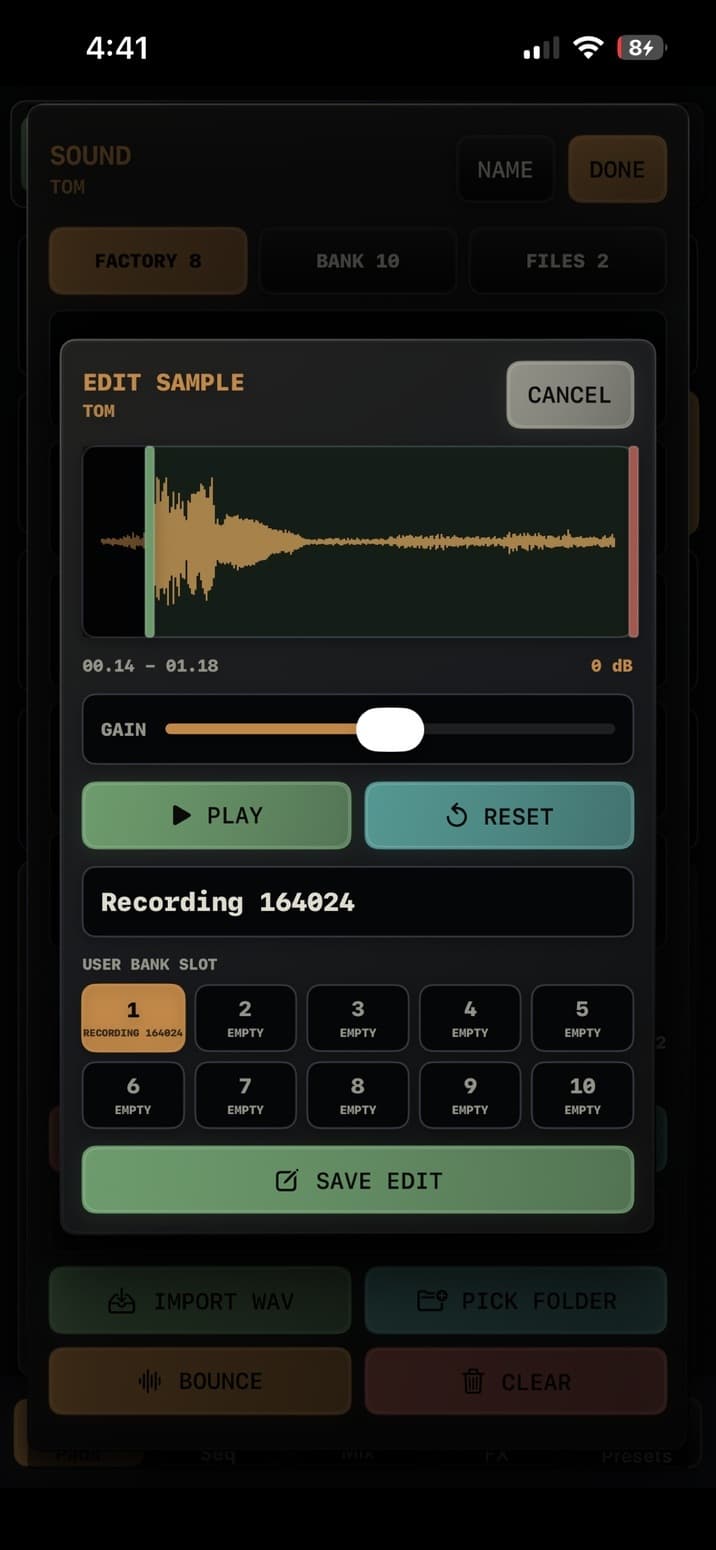
Edit panel
- Drag the green start handle and red end handle to trim the usable region.
- GAIN adjusts the processed sample from -24 dB to +24 dB.
- PLAY previews the edited result. RESET returns trim and gain to the full original take.
- The name field sets the user-visible sound name.
- Choose a user-bank slot. Saving to a different occupied slot asks before replacing it; SAVE EDIT writes directly to the sample's original slot.
What gets saved
- TEMPO-1 applies trim, gain, and a tiny edge fade, then stores the processed WAV.
- Saving an edit selects the new user-bank sound and resets that voice's sample pitch to 0.